MagsGraphics Products

MagsGraphics' Digital Art is exclusively available for Artisan Software users at FOREVER

Showing posts with label poster. Show all posts

Monday, January 16, 2023

Special $5 Deal!

Forever is having a special $5 Deal on January 17th!  Starting at noon, you'll find one product from each brand on special.  Here is what you'll find from MagsGraphics:


12"x18" Poster Collage Template 5


Choosing this pack was strategic on my part - it's less than 1 month before Valentine's Day.  Maybe you need a GIFT for your special someone?  These poster collages are PERFECT!  Open a 12"x18" canvas within Artisan, drop in your photos, and customize to your liking.  Export as a .jpg, and print at your local office store or photo development place.  You'll have a wonderful gift in no time!

You can also select all of the photo drops --> copy --> and paste into a 12"x12" layout.  Turn these templates into a standard layout!  There are so many possibilities!

Here are some posters created with these templates:
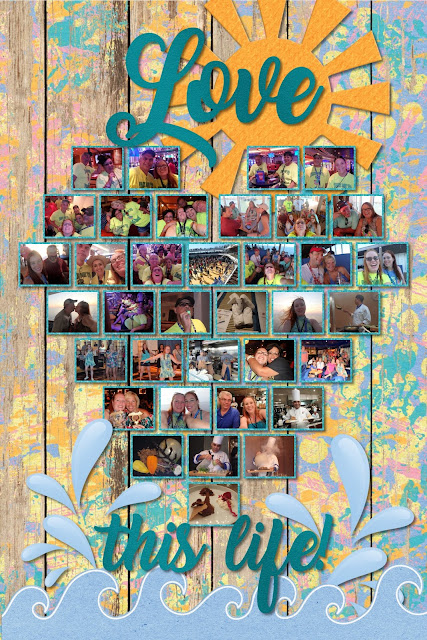


I'm looking forward to seeing what YOU make with these!

:) Mags


Friday, May 7, 2021

Hooray for New Release Day!! May 7th Edition

 Hey Scrappy Friends,

I hope you had fun scrapping with the Across the Galaxy and Star Gazing Collections that released this week.  Today, I've got MORE great sets releasing at Forever!!


First, I've revamped and in some cases, expanded 3 collections:  Dodgeball For All, Home & Heart, and Old Friends.  Seamless Layflat Paper Packs are also available for these collections as well as for Ice Cream Party, Geocaching Adventures, and Target Practice!


Next, I've been working on NEW Templates for Forever's Posters and Canvases:

The 12"x18 Poster Collage Template is perfect for your sports photos, Senior Night, or showing a progression of school photos.  Forever will print this size from their store.  If you want a LARGE size (i.e. 20"x30" - a standard large poster), follow these directions:

  1. Open a canvas 12"x18" and add this template.
  2. Select all layers and copy.
  3. Open a new canvas 20"x30."
  4. Paste these layers.  With all of them selected, GROUP them.
  5. Adjust the size to fit the 20"x30" canvas - leaving AT LEAST a 1" border around all size.  Center and UNGROUP.
  6. Now you can drop in your photos and add dates.
  7. Export your finished poster as a PNG, and upload to your favorite office store that will print this size poster.
--> It's important to NOT put in your photos until you have resized all of the layers - otherwise your photos will get pixelated by being enlarged by that much.


Here is the finished poster I made for my oldest kid's Senior Baseball Banquet:

And one by my friend, Michelle:


The Canvas Collage Template Pack includes 3 sizes of canvas templates: 16"x20," 20"x20," and 20"x24."  The completed canvases can be ordered from the Forever store, and these make beautiful gifts!


Here are some fun layouts with the rest of my new releases:


Lot's of exciting items today!
I can't wait to see what you make,

♥Mags